![Logo - 2021 FINAL 60px.png]](https://support.tcgmachines.com/hs-fs/hubfs/Logo%20-%202021%20FINAL%2060px.png?height=40&name=Logo%20-%202021%20FINAL%2060px.png)
General Resolution
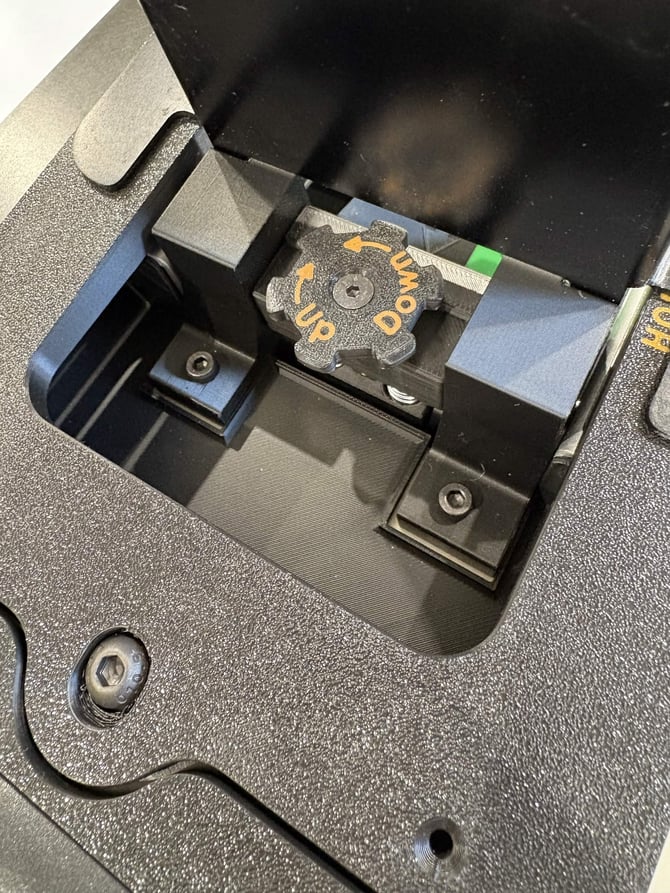
Adjust your feed foot downwards slightly using the adjustment dial, then resume the sort to automatically clear any cards still in the scanner.
If the foot of the feeding mechanism is set too high, the scanner can allow multiple cards into the bay. Typically, this will result in an Exit/Entry Sensor error. To resolve this error, adjust your card foot downwards slightly - we recommend turning the dial in increments of 1/8th turns until only one card is fed through at a time to prevent over-correction. Then, resume the sorting session to clear any cards still in the machine.