![Logo - 2021 FINAL 60px.png]](https://support.tcgmachines.com/hs-fs/hubfs/Logo%20-%202021%20FINAL%2060px.png?height=40&name=Logo%20-%202021%20FINAL%2060px.png)
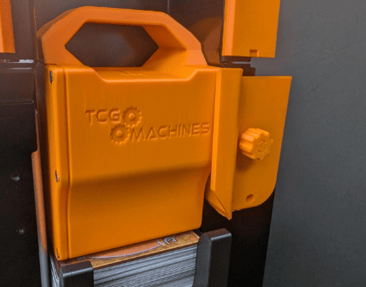
There's something new in the PhyzBatch-9000 world. It's small, but it is mighty. Introducing the Weight Watcher! With just two screws, you can protect your card weight from any unfortunate falls.
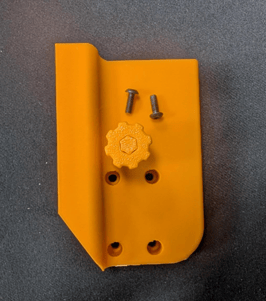
You will receive the Weight Watcher and two screws, and will need your T8 bit and a screwdriver for installation.
-
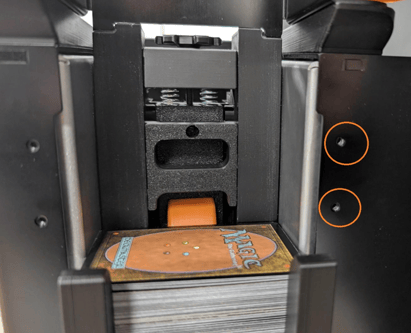
Looking at your PhyzBatch from the Hopper side, find the two holes located near the tails on the right side of the machine.
-
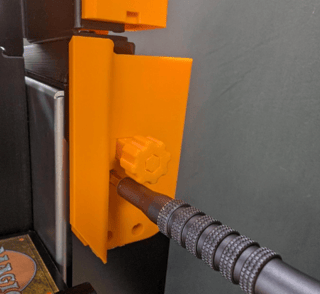
Hold the Weight Watcher up to the machine, and screw it in. The bit will fit through the Watcher while it is closed.
-
Once the two screws are installed, you're done!
-
To use this piece, pull the pin towards you. This will allow the top layer of the Weight Watcher to slide to the right while loading cards. When your hopper is loaded, slide the top layer back to the left and push the pin to lock it in place. This will keep your weight in place as your cards go through!