![Logo - 2021 FINAL 60px.png]](https://support.tcgmachines.com/hs-fs/hubfs/Logo%20-%202021%20FINAL%2060px.png?height=40&name=Logo%20-%202021%20FINAL%2060px.png)
Your PhyzBatch-9000 has two distinct ways to log into your machine. Once you have set up the machine to work with your local network, you will be able to access both of the sites outlined below:
Local Network
By default, your machine will be accessible by the local link provided to you in the networking setup page. If you are hard-wiring your machine directly to your router, the Local Network sign-in page is accessible by navigating to the following URL:
Your local link will by default be: http://tcgmachines-thinkcentre-m70q-XXXX:3003/login
The XXXX needs to be substituted out with the 4-character MAC address/Service Tag present on the back of your machine's scanner, e.g. 889c
Some machines are set up to use the http://tcgmachines-thinkcentre-m70q-XXXX.local:3003/login URL, or connecting to the machine via direct IP, ex. http://192.168.100.43:3003/login. The IP will be unique to every machine and can be obtained from your router's dashboard software.
This will only be the case if Support explicitly sets up your machine to use an alternative address due to networking problems on a service call. Most PhyzBatches use the standard login.
If you are experiencing difficulties connecting to the sort page, please reach out to support@tcgmachines.com for assistance. For more robust networking setup and troubleshooting see our help article on the subject here.
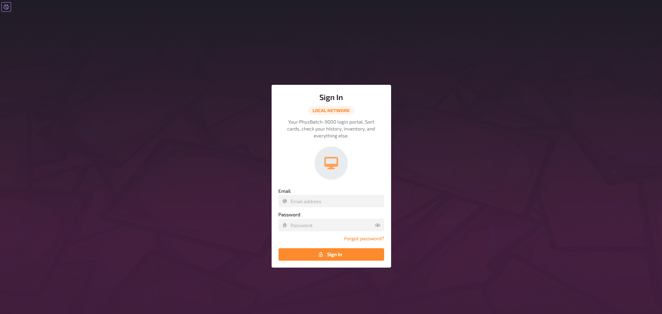
The local network login page is only accessible by devices that are on the same subnet as the PhyzBatch. Once logged in, you have the ability to change sort parameters, run the machine, look at & edit your sort history, and manage your account. This site cannot be accessed remotely except via a local PC (setting up a VPN, remote desktop, etc.).
Remote Server
The Remote Server is distinct from the Local Network login page in that you are unable to change bin conditions or run your PhyzBatch-9000 sorter from this site. You can access the Remote Server login using the following URL, from anywhere:
Your remote server login link will always be: https://secure.tcgmachines.com
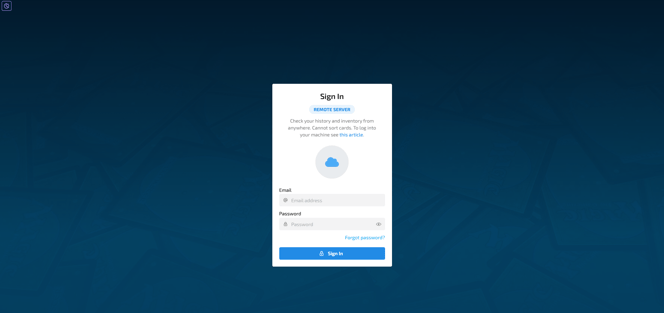
The Remote Server site is best used to review and edit your Inventory and Sort History, and to export cards via CSV to other services. You will not see 'Sort' under the 'Sorting' option in the top drop-down menu because on the Remote site, you are not logged into a PhyzBatch.
One of the use cases for the Remote Server is the ability to access your completed & uploaded sorts to use the Quick Correct function while also sorting cards with your PhyzBatch in a seperate tab. You can log in simultaneously, allowing you to make any adjustments to a sort before export while your PhyzBatch completes the next sort.